Video outpainting · Independent tool
Three video outpainting prompts. Three source-to-result pairs.
Compare the exact directions used for an ocean, a bottle and a moving horse. Watch the source and result before adapting any prompt to your own clip.
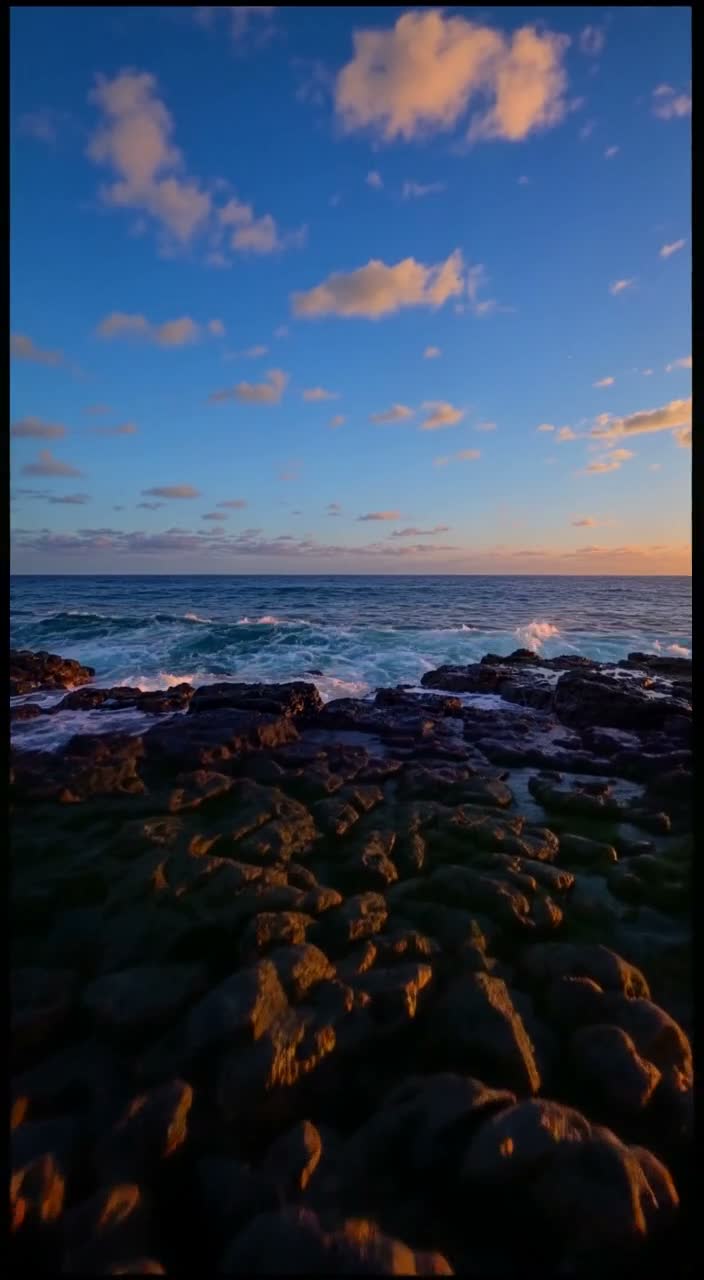
Ocean: landscape source to portrait output5.04s · 9:16 · 720p2026-10-07
01
What should an outpainting prompt say?
These are the exact prompts used for three completed jobs: ocean and horse footage expanded above and below, and a bottle scene expanded left and right. Each prompt names the surroundings to continue and the subject to keep consistent. The linked source and result let you inspect what actually happened. Prompt instructions did not guarantee preservation inside the source region, audio retention or the same result on another clip.
02
The three recorded prompts
Each prompt is paired with its source and completed output below; request references are in the evidence manifest. These are inputs to individual jobs, not general recipes.
Ocean · landscape to portrait · add above and below
Recorded ocean prompt
Extend the existing ocean scene naturally above and below the frame. Continue the dusk sky and volcanic shoreline. Keep the original waves and rocks consistent. No people, logos, text or new objects.
Bottle · portrait to landscape · add left and right
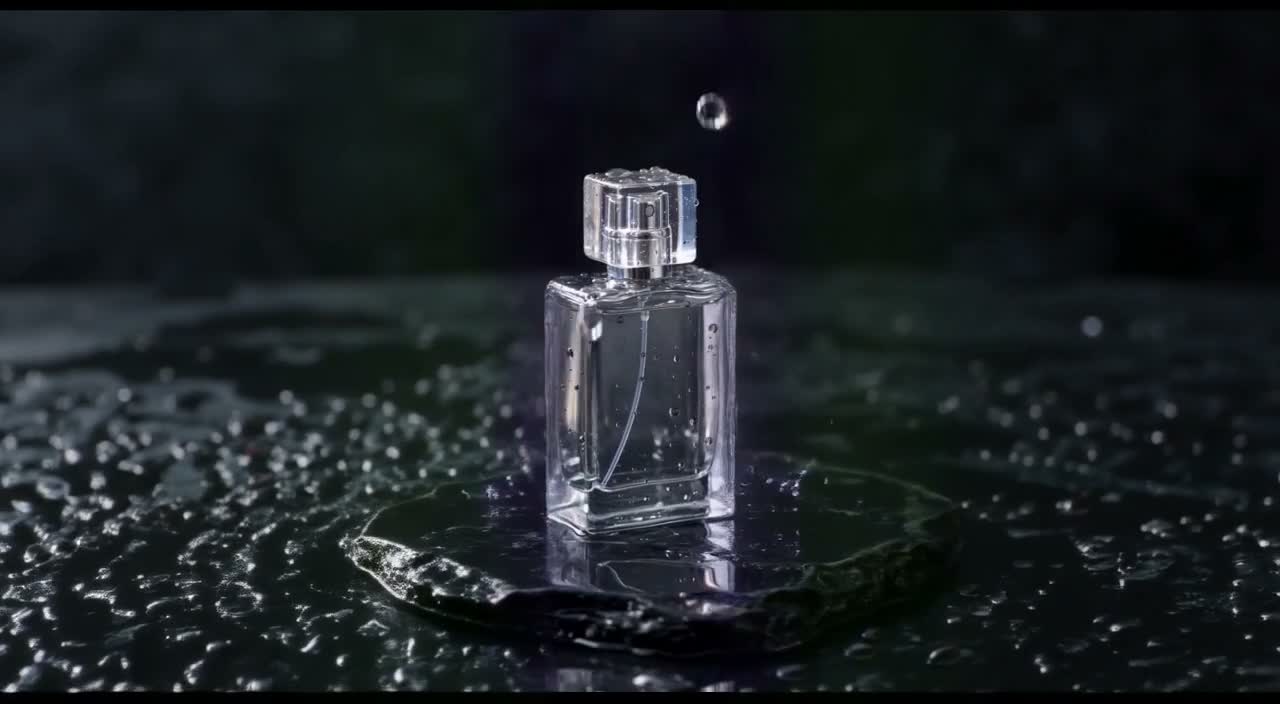
Recorded bottle prompt
Extend the existing dark product scene naturally to the left and right. Continue the wet black stone and dark background. Keep the original unbranded perfume bottle and its motion centered. No new products, logos, text or people.
Horse · landscape to portrait · add above and below
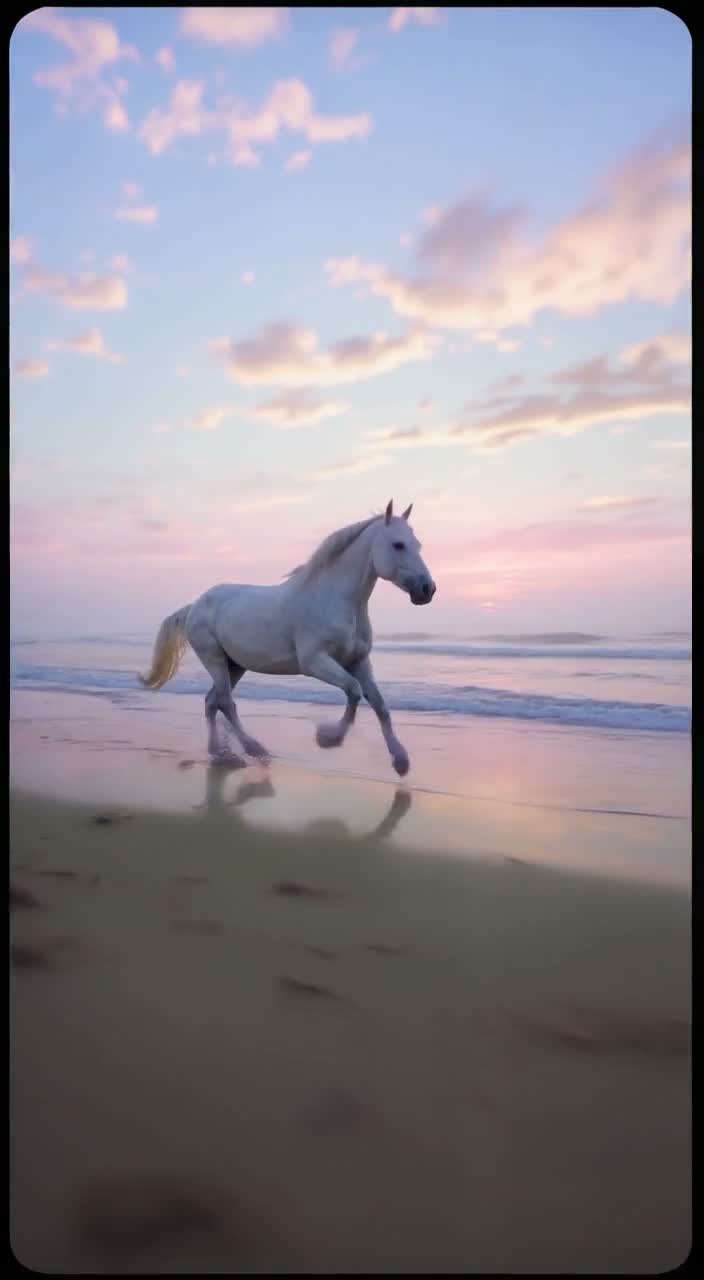
Recorded horse prompt
Extend the misty beach environment naturally above and below the existing footage. Keep the white horse, tracking movement, horizon and hoof motion consistent. No additional animals, people, logos or text.
03
What changed in these three outputs
| Recorded scene | Added canvas | Source-region review | Sound |
|---|---|---|---|
| Ocean | Above and below: dusk sky and volcanic shoreline | Waves and rocks remain visible; exact detail within the source region was not measured | Source has generated audio; returned MP4 is silent |
| Bottle | Left and right: wet black stone and dark background | One centered bottle remains visible; low contrast makes cap and reflection detail hard to judge; no label test | Source has generated audio; returned MP4 is silent |
| Horse | Above and below: misty beach environment | Horse remains visible; output has soft foreground detail and rounded dark corners; exact anatomy was not verified | Source has generated audio; returned MP4 is silent |
The prompt states an intended direction; the clips show one result per source. The job manifest records their source files, returned files, settings and request references.
04
Volcanic shoreline: source and outpainted result
Play both complete clips. The source is AI-generated footage from our own published library, not a customer case or camera recording. Source clips contain generated audio; the outpainted results are silent. These are individual jobs, not a success-rate benchmark.
Volcanic shoreline · source
Original 1280×720 source, about 5.04 seconds, 30 fps with generated audio. It is shown at its native aspect ratio.
Open media fileOriginal Wan3Prime source fileVolcanic shoreline · outpainted result
704×1280, 121 frames at 24 fps, silent. Inspect the original subject as well as the added environment. The source region can change; no exact-pixel preservation is promised.
Open media fileParameters and recorded-job manifest05
Unbranded bottle: source and outpainted result
Play both complete clips. The source is AI-generated footage from our own published library, not a customer case or camera recording. Source clips contain generated audio; the outpainted results are silent. These are individual jobs, not a success-rate benchmark.
Unbranded bottle · source
Original 720×1280 source, about 5.04 seconds, 30 fps with generated audio. It is shown at its native aspect ratio.
Open media fileOriginal Wan3Prime source fileUnbranded bottle · outpainted result
1280×704, 121 frames at 24 fps, silent. Inspect the original subject as well as the added environment. The source region can change; no exact-pixel preservation is promised.
Open media fileParameters and recorded-job manifest06
Moving horse: source and outpainted result
Play both complete clips. The source is AI-generated footage from our own published library, not a customer case or camera recording. Source clips contain generated audio; the outpainted results are silent. These are individual jobs, not a success-rate benchmark.
Moving horse · source
Original 1280×720 source, about 5.04 seconds, 30 fps with generated audio. It is shown at its native aspect ratio.
Open media fileOriginal Wan3Prime source fileMoving horse · outpainted result
704×1280, 121 frames at 24 fps, silent. Inspect the original subject as well as the added environment. The source region can change; no exact-pixel preservation is promised.
Open media fileParameters and recorded-job manifest07
Compare the whole clips, not just the prompt text
Play each source beside its returned MP4. Inspect the newly added space and the original subject through the shot; the model may also change detail within the supplied region.
The test methodology includes full-frame extracts and the fixed preset. These three AI-generated source clips are a small demonstration set, not customer footage or a measured success rate.
All three sources have generated audio, while their returned MP4s have no audio track. Plan to add only audio you are authorized to use after reviewing the picture.
08
Prompt questions
Should I describe the whole clip again?
Start with the environment that should continue beyond the frame. Keep the source subject, lighting and motion consistent rather than asking for an unrelated replacement scene.
Are all prompts on this page recorded?
Yes. Each is the exact text used for one linked ocean, bottle or horse job. Changing a prompt or source creates a different experiment; these three results do not predict it.
Does an avoid clause guarantee no extra objects?
No. It expresses a direction that the model may not follow. Watch the whole output and reject unwanted objects or inconsistent details.
How do I use a prompt from this keyword site?
Copy the text, open the Wan3Prime outpainting workspace and paste it with your authorized source. The current tab does not silently transfer your prompt or source file to another domain.
09
Choose your next step
Prepare the file with the MP4 input guide, then inspect the fixed output budget, silent audio and preservation limits.
For a specific source, review the product example or moving-subject example. Processing and the 70-credit quote appear in the Wan3Prime workspace.
10
Check the evidence behind these examples
Inspect the source videos, returned files and full-frame test extracts. The public methodology identifies the preset, individual jobs, publisher and observations so you can review the evidence directly.