Video outpainting · Motion review
Video outpainting with moving subjects. Watch more than the background.
Changing the canvas around an action shot also tests the subject and camera over time. Our moving-horse sample shows why a coherent first frame is insufficient.
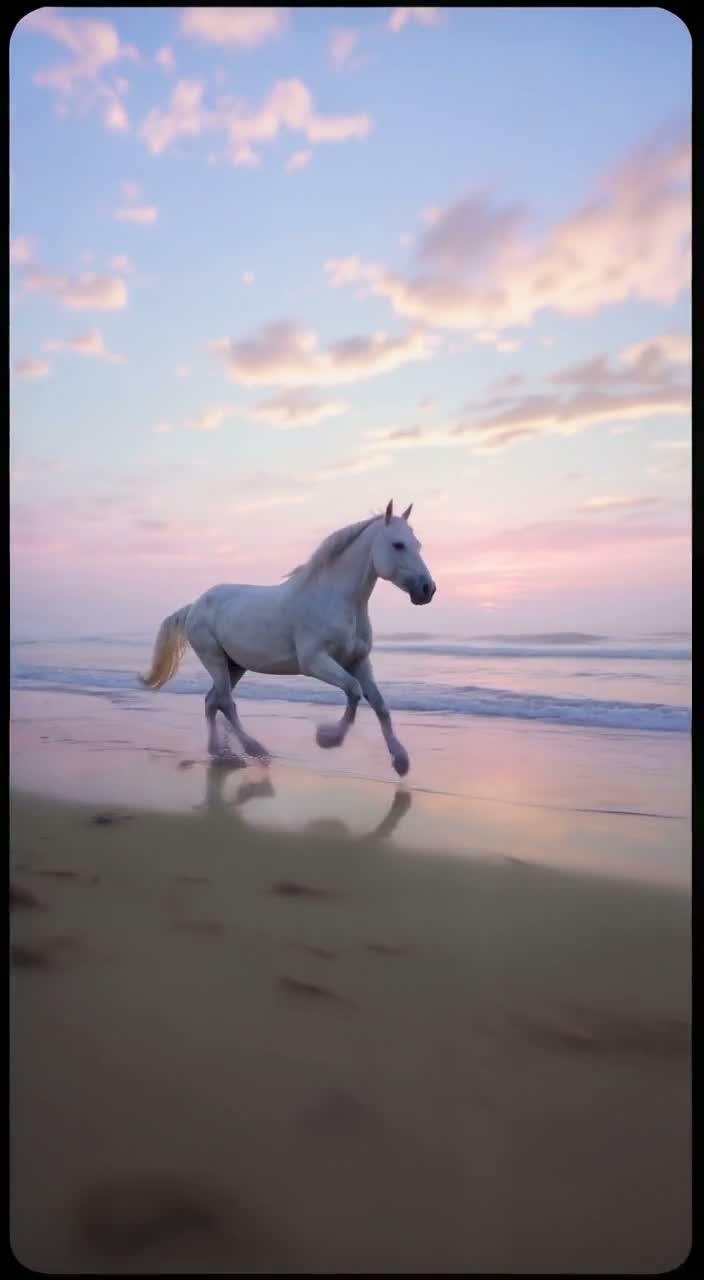
Motion test: horse on a beach5.04s · 9:16 · 720p2026-10-07
01
Can video outpainting preserve a moving subject?
A source video guides the outpainting model, but the subject can still change while new regions are generated. Review motion, anatomy and the camera across the entire result. Our recorded horse clip demonstrates one landscape-to-portrait job, with soft detail and corner artifacts. It does not establish a success rate or guarantee the behavior of faster action, other animals or different footage.
02
Moving horse: source and outpainted result
Play both complete clips. The source is AI-generated footage from our own published library, not a customer case or camera recording. Source clips contain generated audio; the outpainted results are silent. These are individual jobs, not a success-rate benchmark.
Moving horse · source
Original 1280×720 source, about 5.04 seconds, 30 fps with generated audio. It is shown at its native aspect ratio.
Open media fileOriginal Wan3Prime source fileMoving horse · outpainted result
704×1280, 121 frames at 24 fps, silent. Inspect the original subject as well as the added environment. The source region can change; no exact-pixel preservation is promised.
Open media fileParameters and recorded-job manifest03
Compare a frame around 2.5 seconds
These JPEGs were extracted from the displayed MP4s on October 9, 2026. They retain the complete frame: no retouching, AI enhancement or concealed cropping. The different frame rates mean this is an approximate time comparison, not a pixel-aligned difference measurement.
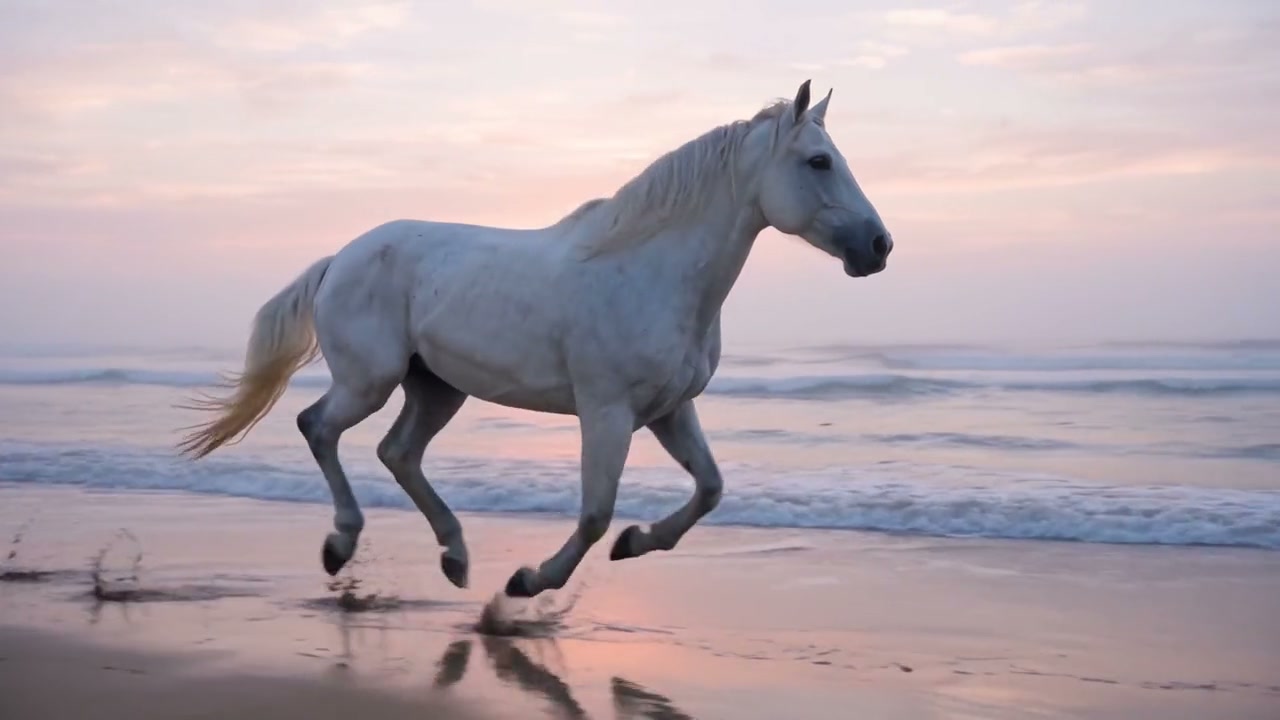
Moving horse · source at approximately 2.5 s
Source frame. Use it to inspect the subject, lighting and composition before expansion.
Open media file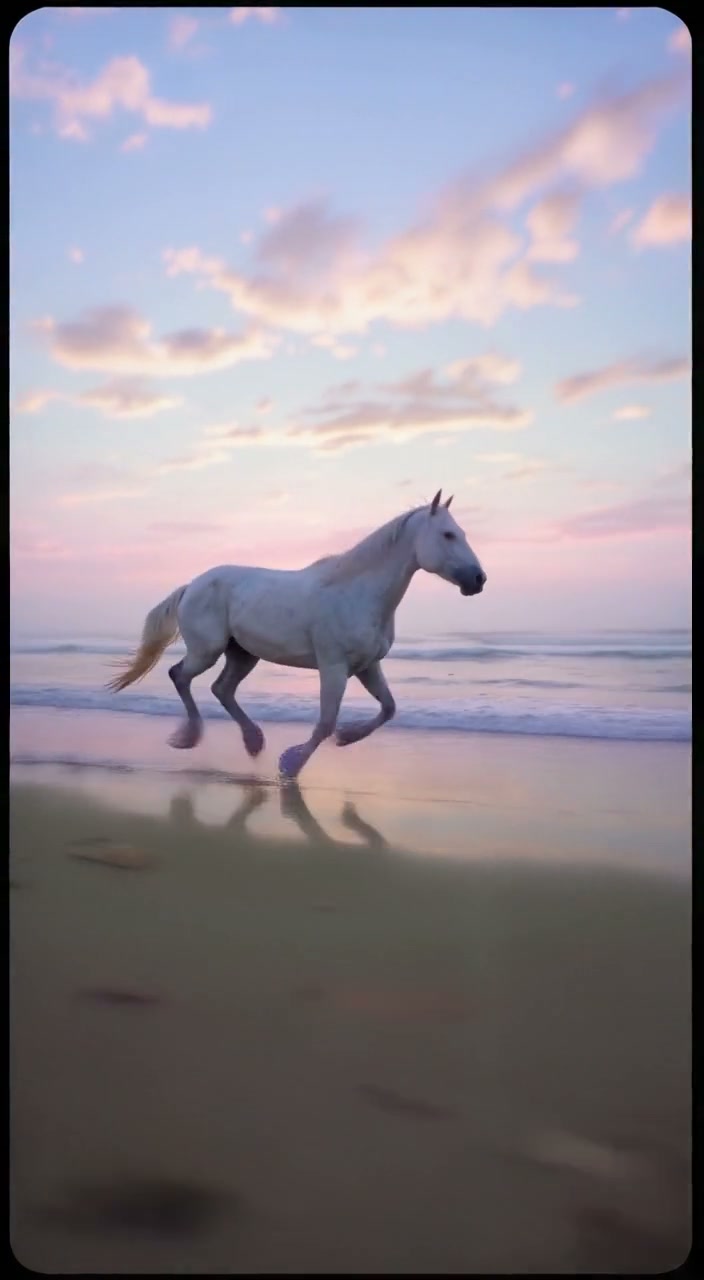
Moving horse · result at approximately 2.5 s
Result frame. New space and changes inside the supplied image region are both part of the generated output.
Open media file04
Read the actual moving result
The output has a portrait canvas encoded at 704×1280 and no audio. Follow the horse’s legs, silhouette and scale as the camera tracks. The image is soft in places, and the expanded frame has corner artifacts; this result should be reviewed as an imperfect example.
Check the shoreline and horizon at the same time as the subject. If the background moves at a different apparent speed, a plausible still can become an unconvincing tracking shot. Look for objects appearing and disappearing near the original frame boundary.
Choose a short section with one continuous motion and no cut when preparing a test. That recommendation makes comparison easier; we have not measured whether it improves generation quality. A different clip remains a new paid job.
05
The direction used for this motion sample
Recorded prompt, not a universal motion-preservation recipe.
Continue the setting around the subject
Recorded horse prompt
Extend the misty beach environment naturally above and below the existing footage. Keep the white horse, tracking movement, horizon and hoof motion consistent. No additional animals, people, logos or text.
06
Review both kinds of continuity
| Region | Inspect | Reason to reject |
|---|---|---|
| Moving subject | Silhouette, limbs, scale and motion direction | A new limb, a changed shape or an implausible movement |
| Original background | Horizon, known landmarks and tracking speed | A landmark jumps or the camera path becomes inconsistent |
| Generated edges | Corner detail, seams and objects entering the frame | Flicker, malformed objects or unstable new scenery |
07
Moving-subject outpainting questions
Is this also slow motion or frame interpolation?
No. This is spatial canvas expansion with a fixed output frame budget. It is not a dedicated interpolation or slow-motion tool.
Can I guarantee animal anatomy or exact subject identity?
No. Inspect the whole result. This sample and preset do not establish exact preservation for any subject.
Can I include a cut between two scenes?
We recommend extracting one shot for review. A multi-shot result has not been validated through this preset and adds a transition to assess.
Does a distorted but completed result receive credits back?
Processing failures return credits automatically. A completed video with visual artifacts remains charged; review the 70-credit quote before each job.
08
Evidence and related guides
The fal LTX 2.3 outpaint API describes how a source video guides spatial expansion. Our claims about softness and corners describe the displayed sample, not a benchmark. See outpainting limitations for exact preservation and audio boundaries.
For a slower scene, inspect the ocean landscape-to-portrait example. For the file itself, use the MP4 preparation guide, then open the outpainting workspace.
09
Check the evidence behind these examples
Inspect the source videos, returned files and full-frame test extracts. The public methodology identifies the preset, individual jobs, publisher and observations so you can review the evidence directly.